Alignment Tool
info
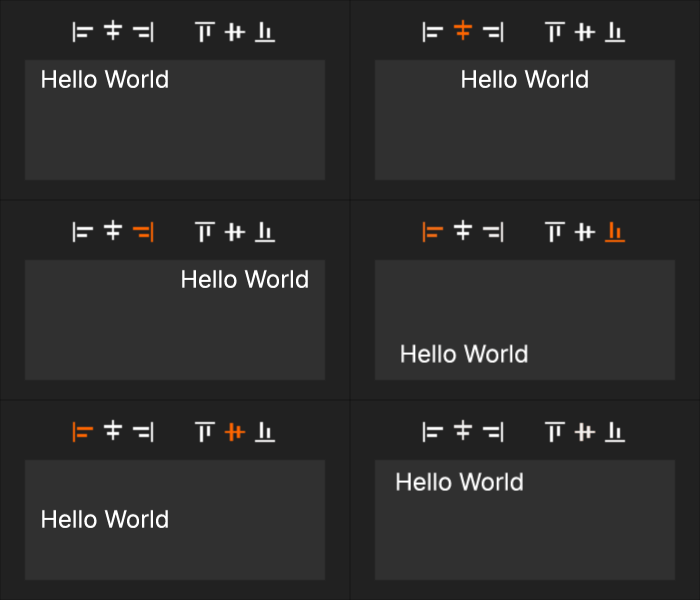
The alignment tool provides quick controls that let you change how text, images, or other elements are positioned inside their container.
How to Use
- Select the container whose content you want to position.
- Use the toolbar buttons to set its alignment.
- The content immediately shifts to the chosen position within its container.
Horizontal Alignment
| Aligns the content on the left side. | |
| Centers the content horizontally. | |
| Aligns the content on the right side. |
Vertical Alignment
| Aligns the content to the top. | |
| Centers the content vertically. | |
| Aligns the content to the bottom. |