Course Structure
After opening a course from the Course Dashboard, you will enter the Course Structure view.
This is where you organise pages, configure course settings, and prepare the structure of your course before editing content.
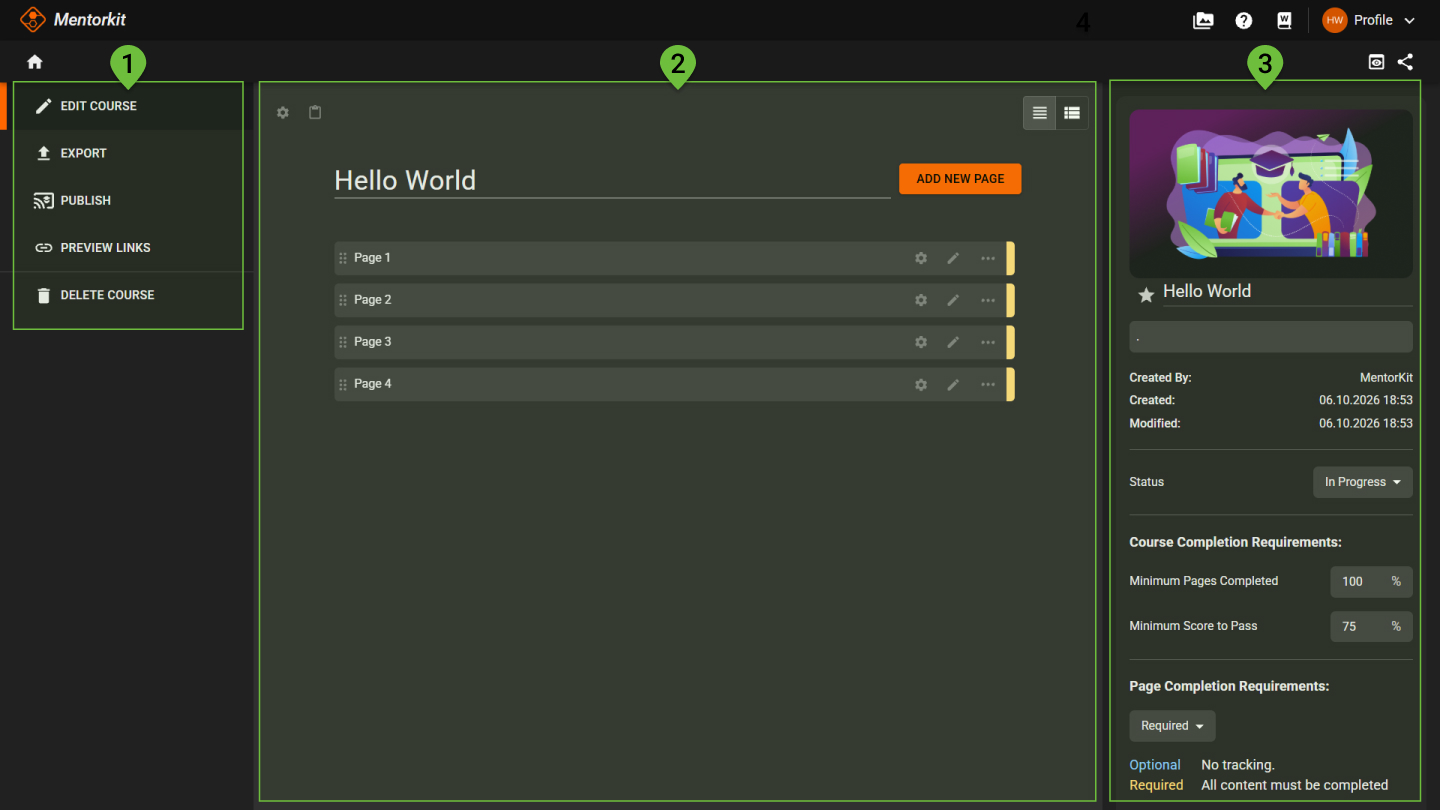
1. Course actions
The left menu contains actions related to the entire course.
From here you can:
- Edit the course
- Export the course
- Publish the course
- Manage preview links
- Delete the course
2. Page list
The centre area displays all pages in the course.
Use this area to:
- Add new pages
- Reorder pages
- Create subpages
- Open page settings
- Open the Course Editor
Each page includes quick actions for editing and managing content.
3. Course information
The right panel displays information about the selected course.
This includes:
- Course title and description
- Course status
- Created and modified dates
- Course image
Completion requirements
Course-level completion requirements can be configured from the right panel.
These settings determine when a learner has successfully completed the course.
For example:
- Minimum pages completed
- Minimum score to pass