The Home Page
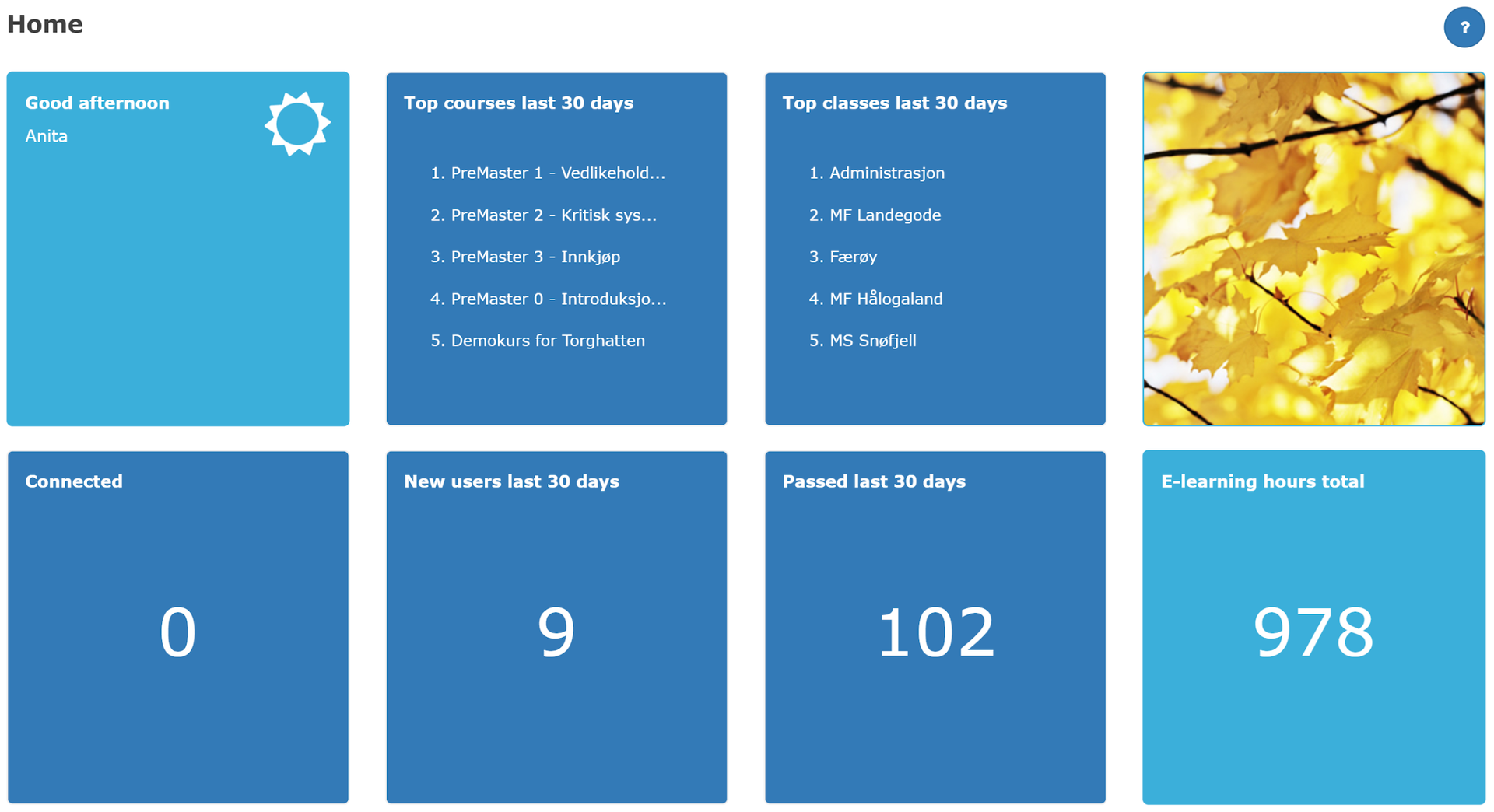
The first page you come to looks like this. You can click on the dark blue tiles / squares to find additional information.
Most used courses last month
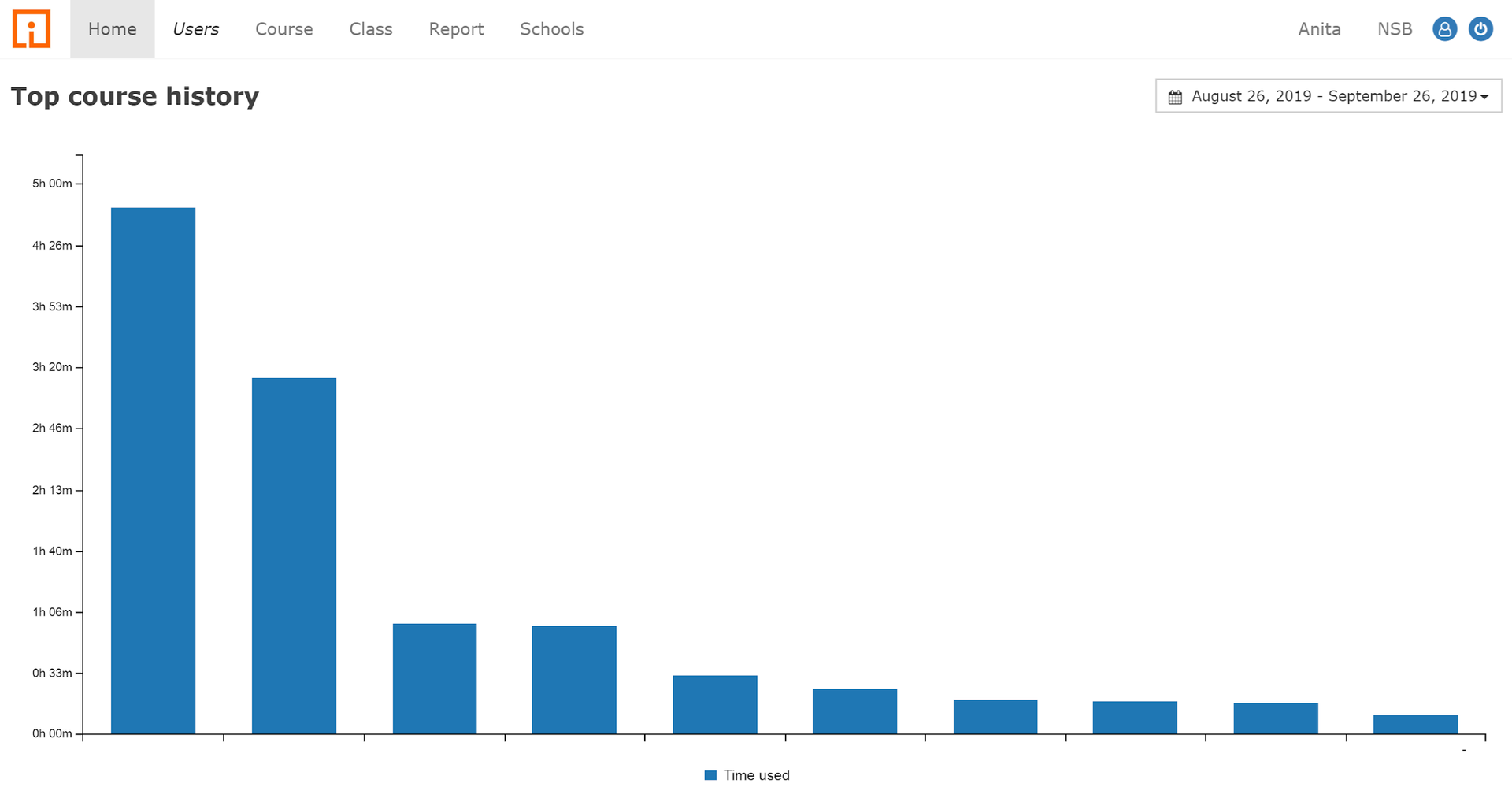
Top courses last 30 days. Here you can see details about which online courses are widely used. Using the date picker you can check other time intervals.
Most active classes
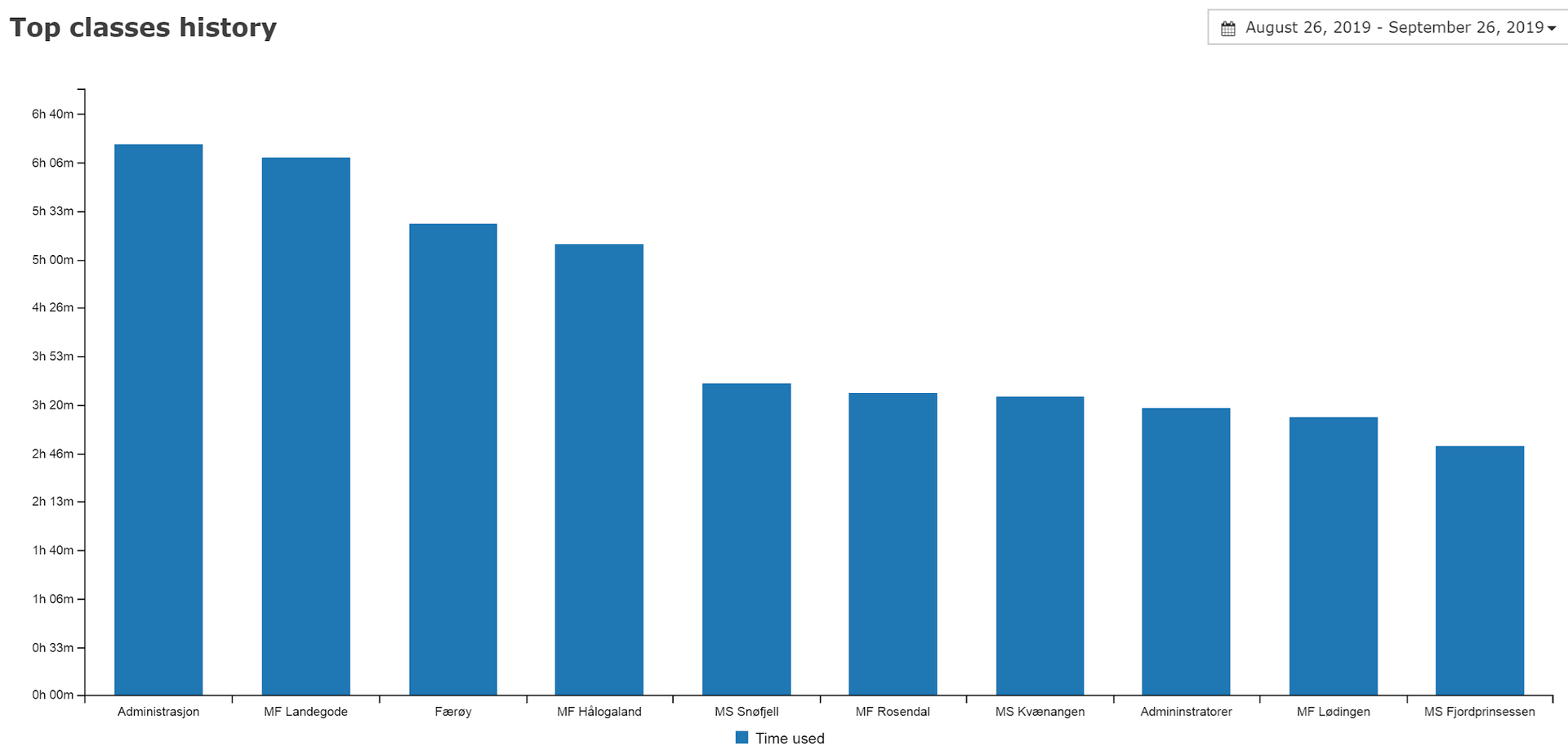
Top classes last 30 days. Provides overview of activities over the last month. You can go back in time by choosing another month in the date picker.
New users registered
Informs a little about current school activity.
Users Online
Gives an impression of the activity right now. Can be useful for those who guide users in distance learning.
Completed last 30 days
If the courses contain requirements for passing, you get an overview of the last month here.
Total e-learning lessons
Provides a clue to activity throughout the "school". See also the "Hours spent on courses" report for a detailed overview of the activity.