The Menu System
The menu system looks like this:
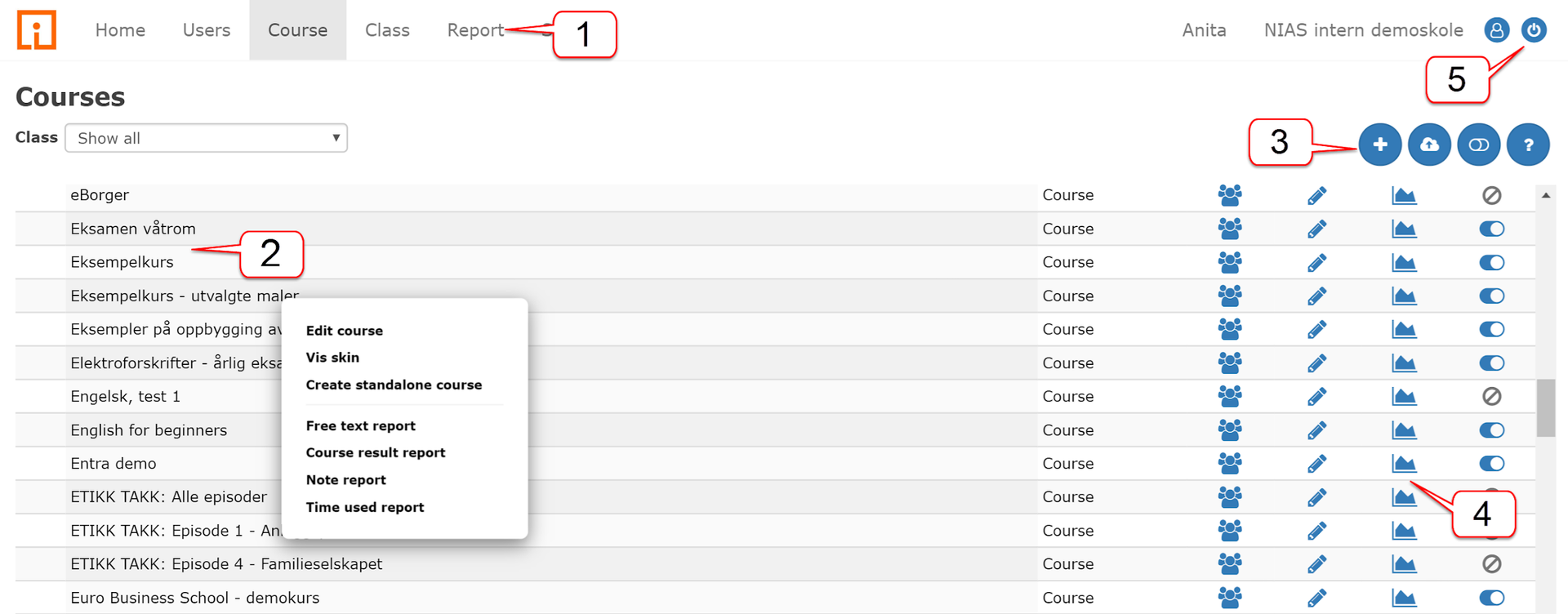
| No. | Section Name | Description |
|---|---|---|
| 1 | Main Menu | This is located at the top and is always available. The choices vary with what role you have in the management system. |
| 2 | Table of Contents | Provides an overview of classes, users, etc. placed in rows. Clicking on a row gives you a pop-up menu of functions you can perform. |
| 3 | Functions | Many commonly used functions are also available in a menu above the table. Hover over the symbols for an explanation of what they can do. |
| 4 | Functions in the Table | Important functions are also added directly to the table, such as editing and reports. |
| 5 | Exit | Closes the administration window or tab. |