Synthesia
The Synthesia integration lets you connect your Synthesia account to Course Creator. Once connected, you can use videos from your Synthesia library directly in Course Creator — without manually downloading and re-uploading video files.
You need access to a Synthesia account and permission to create API keys in Synthesia.
Connect Synthesia
You connect Synthesia once from the Integrations page. After that, your Synthesia videos are available whenever you edit a course page.
1. Open Integrations
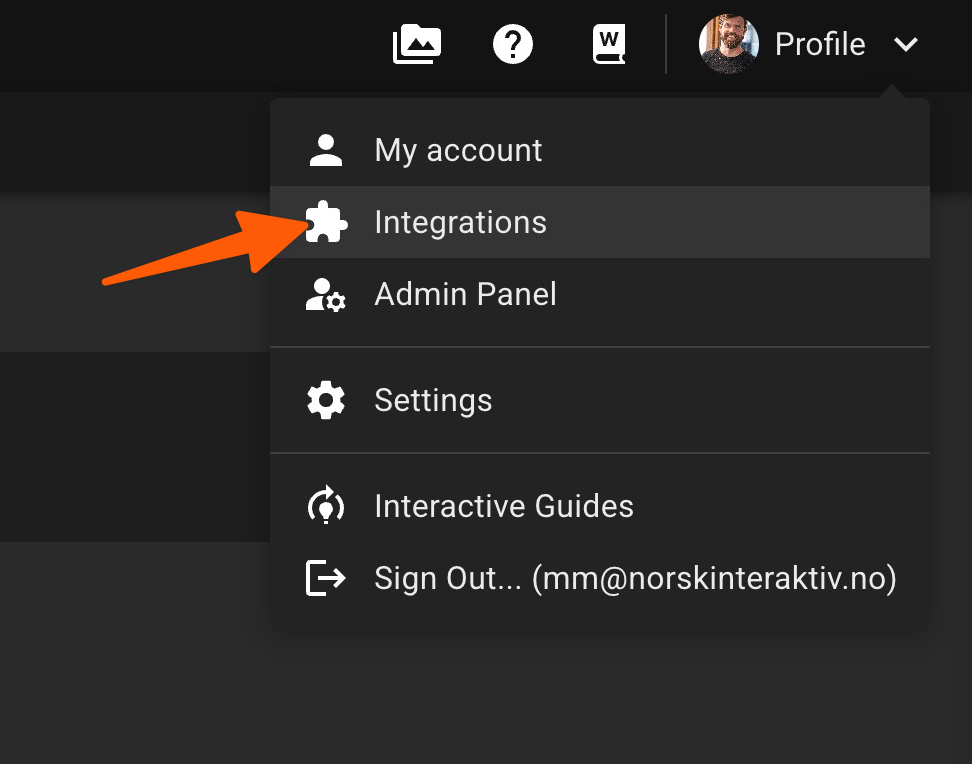
In Course Creator, click your profile menu in the top-right corner and select Integrations.
2. Add a new integration
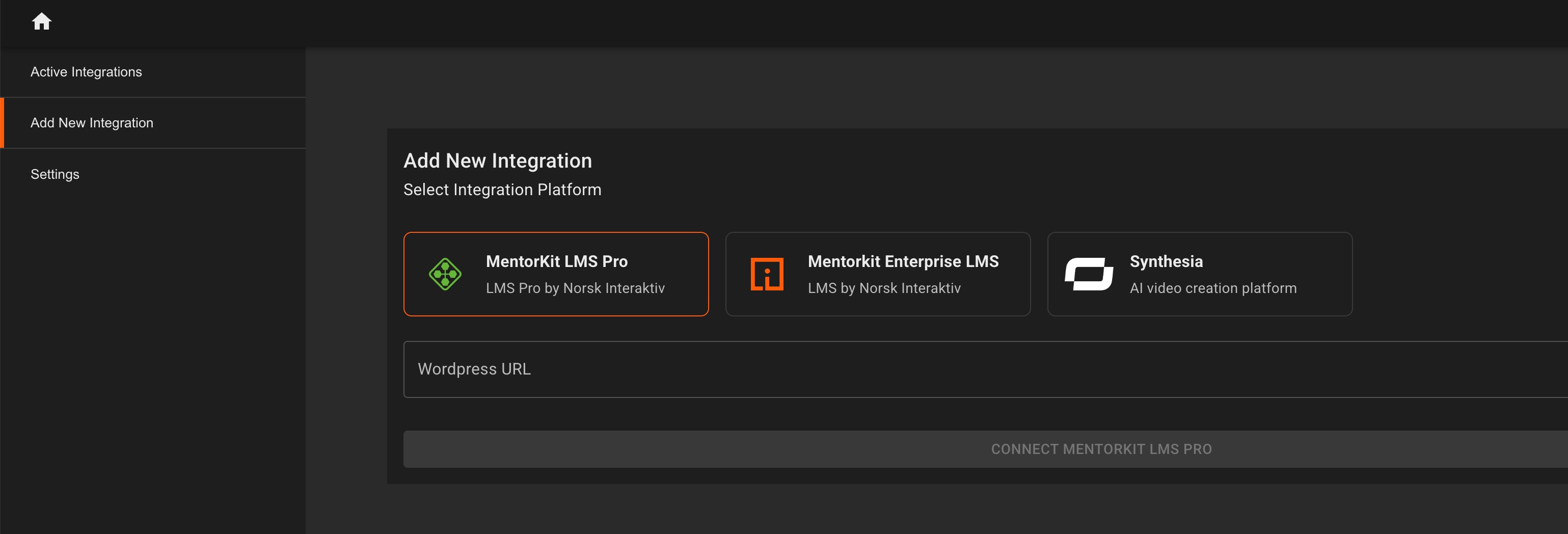
On the Integrations page, open Add New Integration and select Synthesia from the available integration platforms.
3. Open API keys in Synthesia
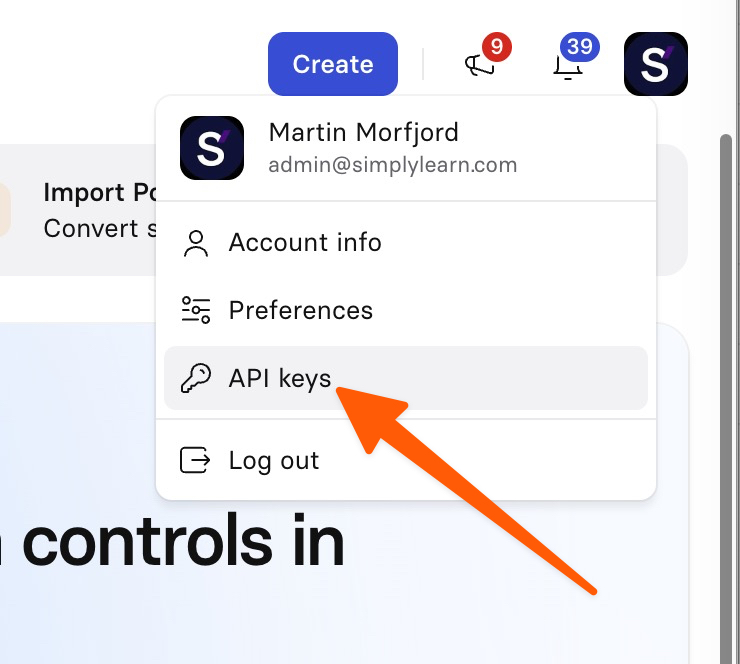
Open Synthesia in a new browser tab and log in to the account you want to connect. Click your profile image in the top-right corner and select API keys.
4. Create and copy an API key
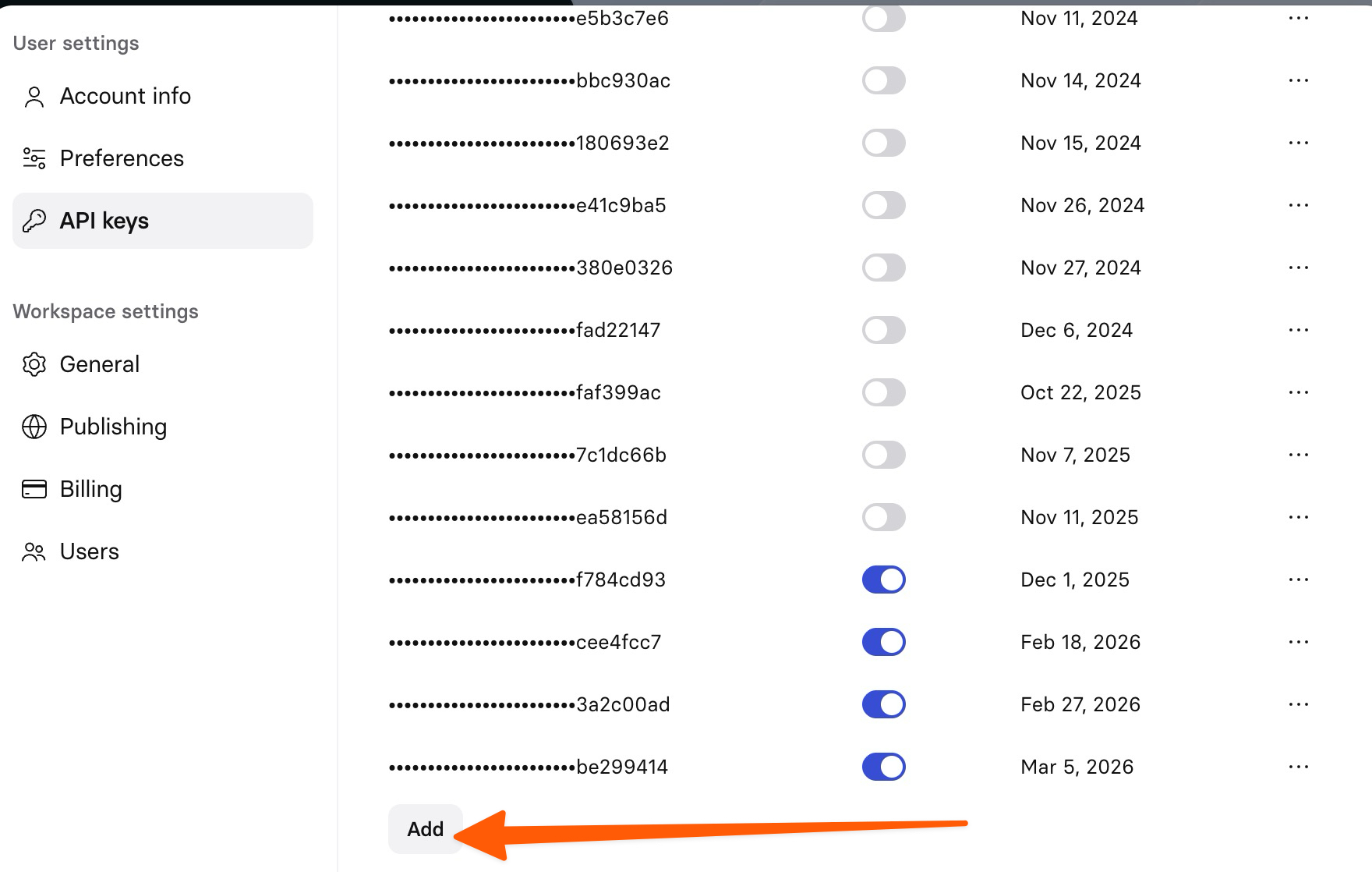
On the API keys page in Synthesia, click Add to create a new API key. Copy the key after it has been created.
Treat the API key like a password. Do not share it publicly or include it in screenshots, emails, or support tickets.
5. Paste the API key into Course Creator
Return to the Synthesia integration in Course Creator and paste the API key into the integration field. Click Save to complete the setup.
Use Synthesia videos in Course Creator
Once the integration is active, you can pull videos straight from your Synthesia library while editing a page.
1. Open the media menu
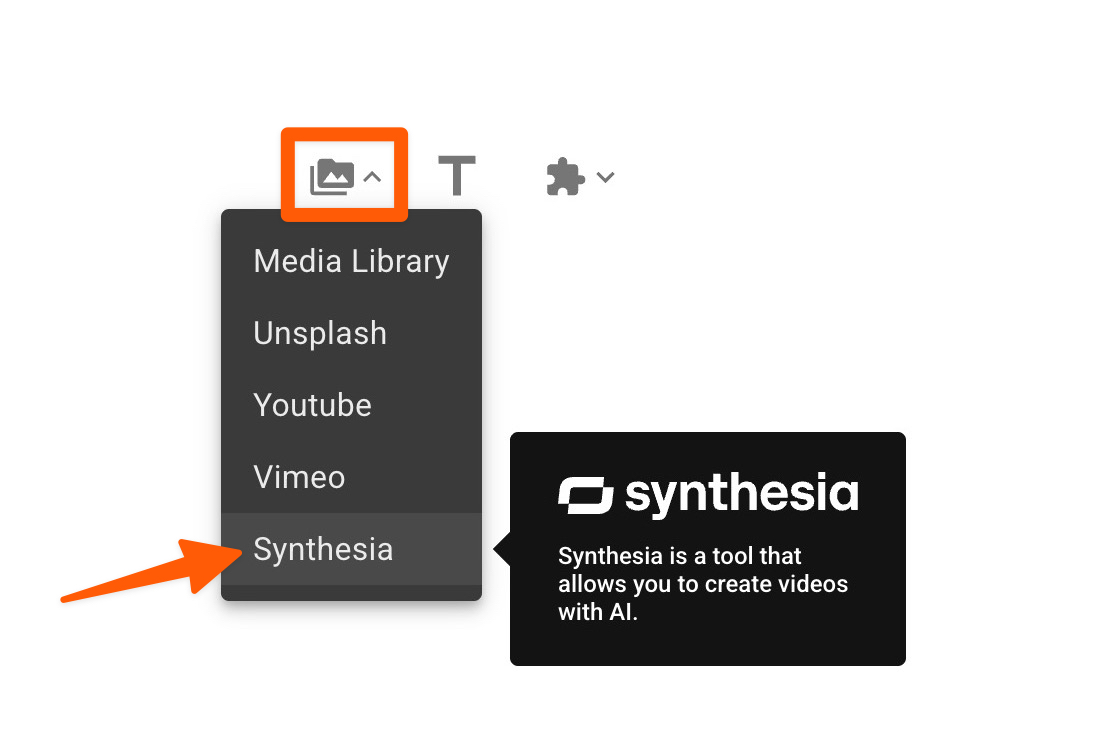
When editing a page, click the media icon and select Synthesia from the dropdown menu.
2. Search and select a video
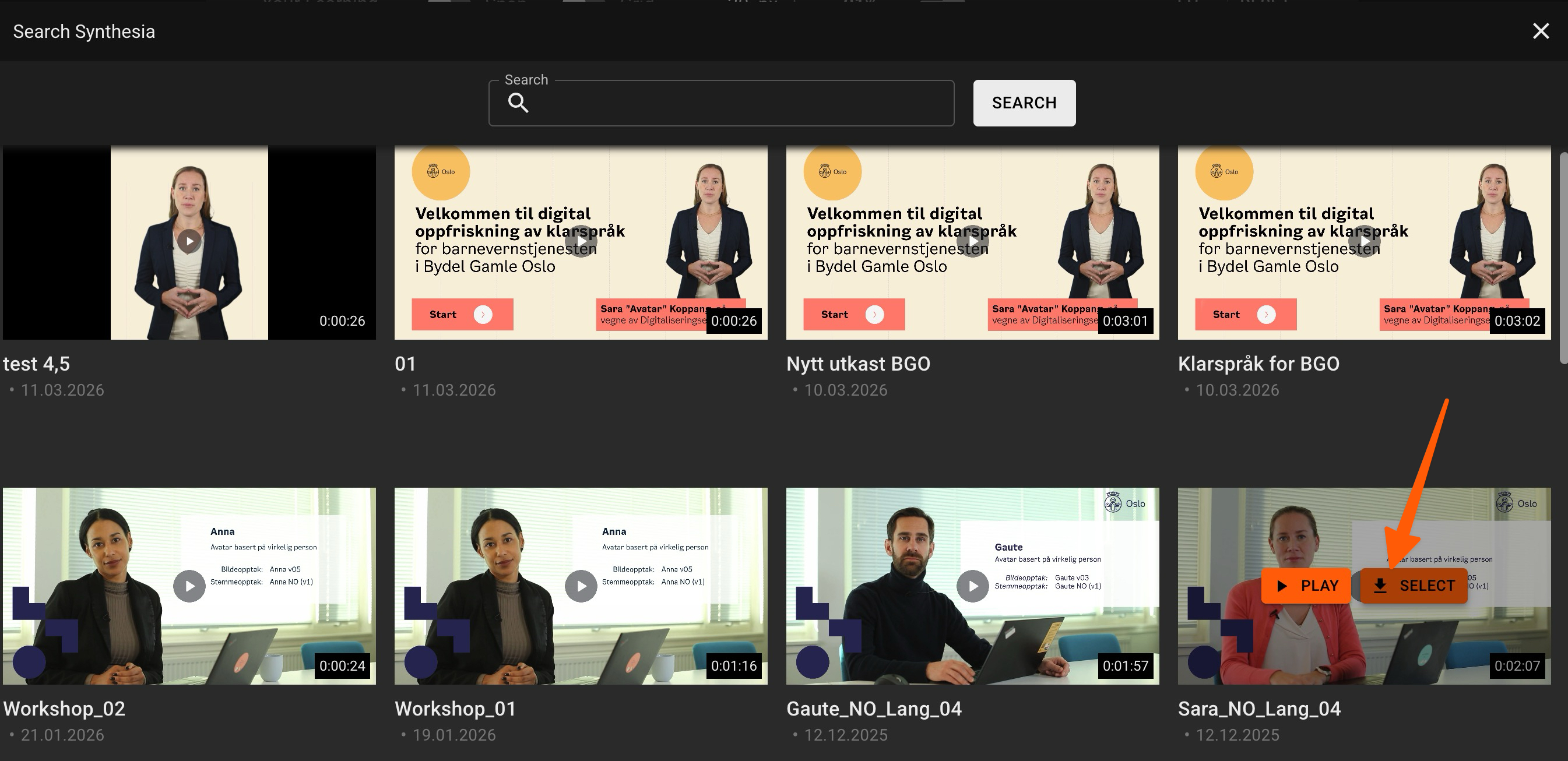
Search your Synthesia library and find the video you want to use. Use Play to preview it, or click Select to add it to the page.
3. Place the video in your course page
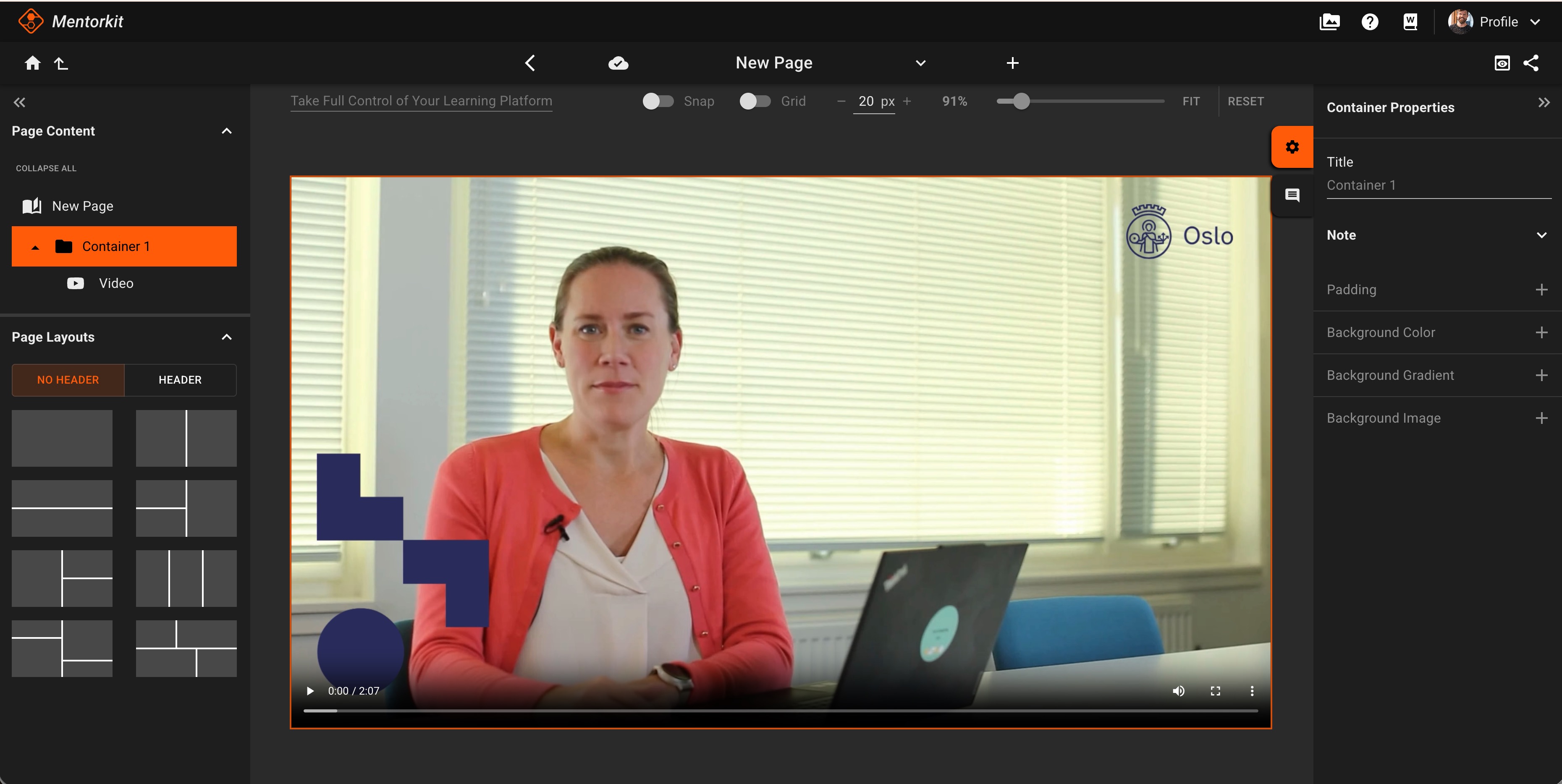
After you select it, the video is inserted into the page. You can then position it in the layout and continue editing the page as usual.
With the integration active, Course Creator accesses your Synthesia videos directly — there is no need to download videos from Synthesia and upload them manually.
MentorKit may have discount arrangements available for Synthesia. Before renewing or purchasing a Synthesia subscription, contact us to ask whether a discount code is available.