The Learner Experience
What participants see when a course has quizzes attached, from the course page through to their results.
This assumes quizzes are already attached to a course — see Creating a Quiz.
Quizzes on the Course Page
Every quiz attached to a course appears as its own panel on the course page, labeled with its role:
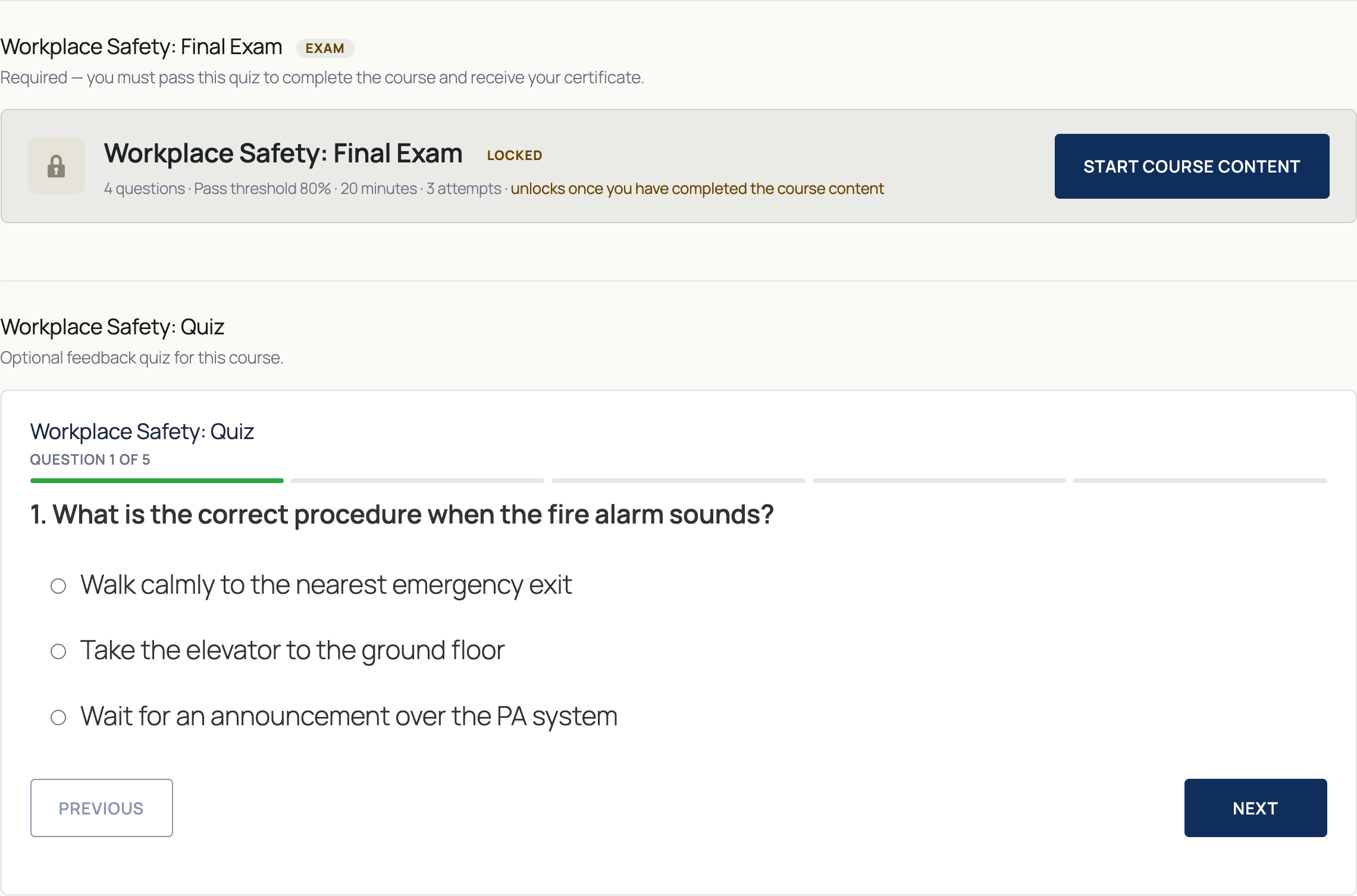
- A locked quiz is visible but not startable, with a clear explanation of what unlocks it. By default that's exams only; the course's lock setting decides which quizzes are held back until the content is finished.
- An unlocked quiz can be started right away. If it has no time limit, its form renders directly on the course page — no separate start step needed.
- The Required to complete / Practice quiz (open) role is about completion, not locking: a required quiz must be passed for the course to count as complete, whether or not it was locked first.
Taking a Quiz
Untimed quizzes without a time limit go straight to the questions, one at a time, with Previous and Next navigation. Timed quizzes and exams show a start screen first — see Exam Mode for what that looks like.
Results
After submitting, participants see whether they passed immediately:

Clicking View answers expands a full breakdown: the score, the pass threshold it was measured against, and — outside exam mode — each question with the participant's answer:
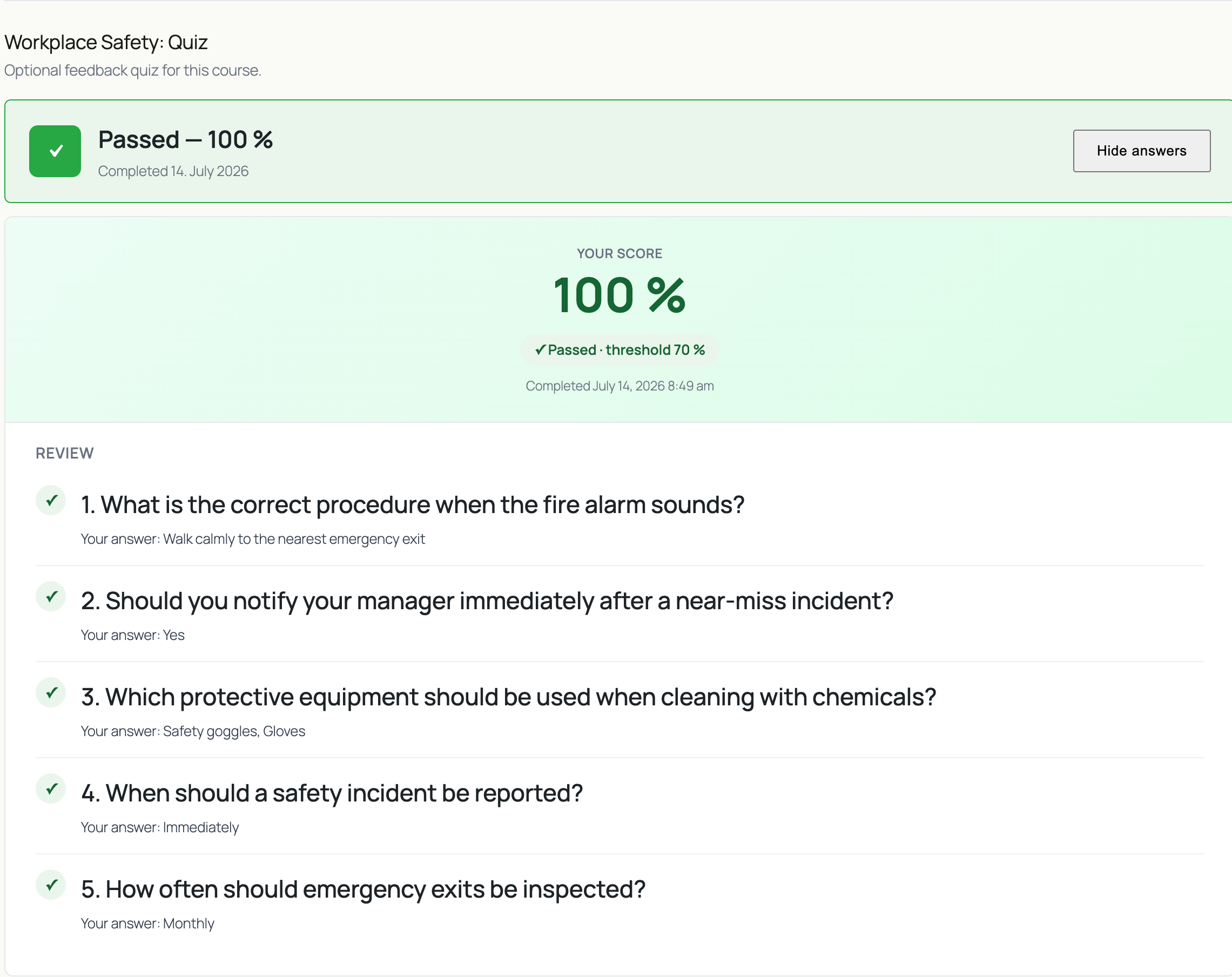
In exam mode, this breakdown is intentionally limited — no per-question answers are shown, only the overall score and, when the attempt included critical questions, the critical score against its own requirement. See Exam Mode for what an exam result looks like.
If any answer needs manual grading, the result shows Submitted for review instead of a pass/fail state until an admin grades it — see Manual Review.
Course Completion and Certificates
A course only counts as complete once its content is finished and every quiz attached with the Required to complete role has been passed. Passing a required quiz re-checks the course's overall status automatically — if everything else is already done, the course completes and a certificate is issued in the same step, no separate action needed.
Practice quizzes (the open role) never factor into this — they're for self-check only and don't block completion or the certificate.
What's Next
- Exam Mode — timed attempts, random draws, and manual review
- Mandatory vs. Critical Questions — why a passing score doesn't always mean a passed attempt