Locking Quizzes to Course Content
Decide whether an attached quiz can be taken right away, or only after the participant has worked through the course content.
This assumes the quiz is already attached to a course — see Creating a Quiz.
The Setting
Open the course, go to the Settings tab, and find the Attached quizzes section. The first field is Lock quizzes until course content is completed:
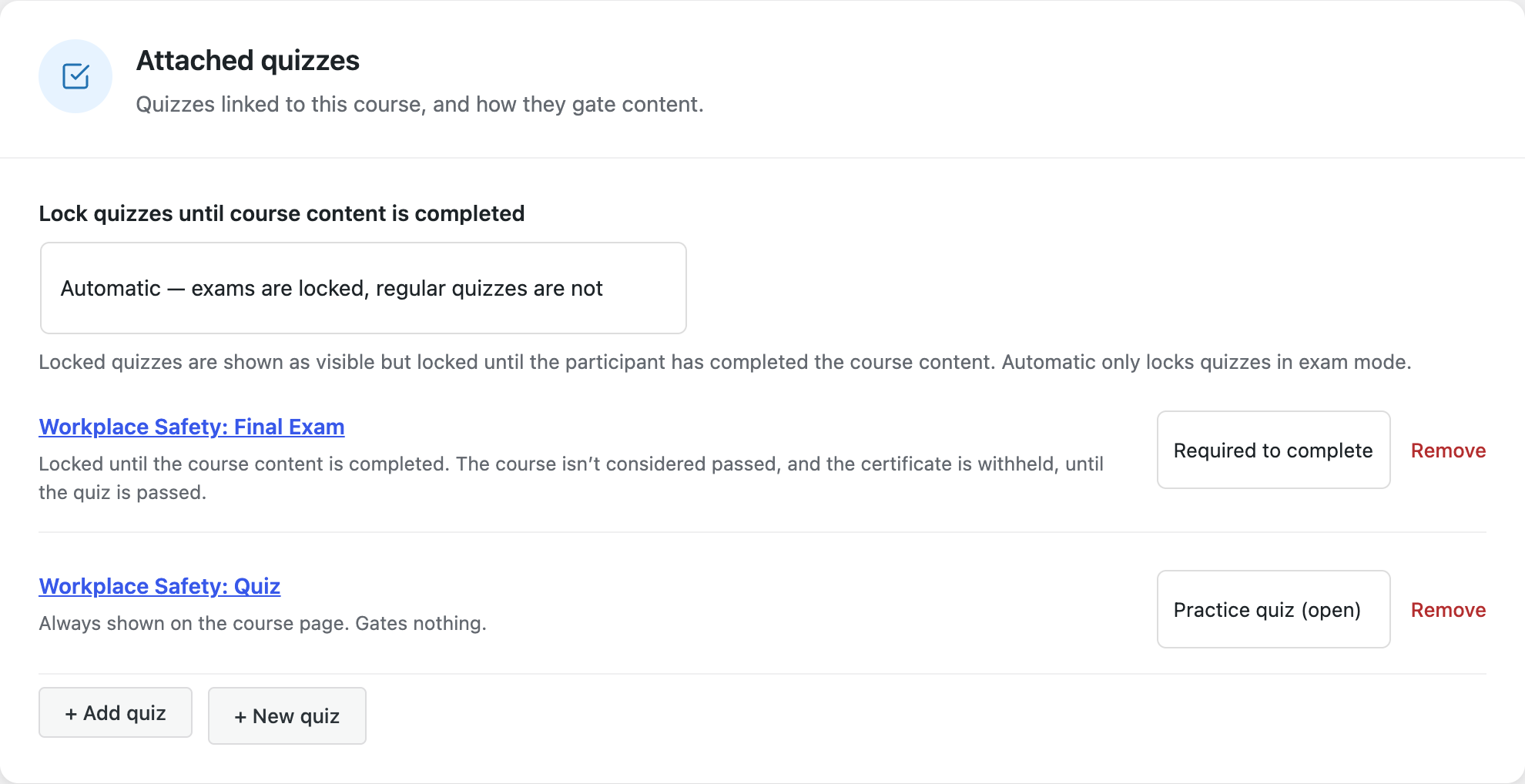
| Option | Effect |
|---|---|
| Automatic — exams are locked, regular quizzes are not | The default. Only quizzes with exam mode enabled are locked. |
| Lock all attached quizzes | Every quiz on the course is locked, exam or not. |
| No locking | Nothing is locked — every attached quiz is startable from day one. |
The setting lives on the course, not the quiz, so one course can lock its quizzes while another course using the same quiz does not.
This setting is new and still being refined — it ships as Beta.
What "Locked" Looks Like
A locked quiz is visible but not startable. On the course page it renders as its own card with a lock icon, a Locked badge, and the line "unlocks once you have completed the course content". The button takes the participant back to the material — Start course content if they haven't opened it yet, Continue course content if they have.

Once the content is finished, the card turns into a normal quiz card, and the course hero shows a content completed, quiz remaining state so it's obvious what's left before the course counts as complete.
The lock is not just a course-page decoration. Opening the quiz at its own address (/quiz/{slug}) or through the [scorm_quiz] shortcode shows the same message, and the server rejects any attempt to start a locked quiz — there is no URL that skips it.
Rules Worth Knowing
An attempt already in progress is never interrupted. If a participant started a quiz and an admin then switches the course to Lock all attached quizzes, that live attempt stays resumable and can still be submitted. The lock only decides whether a new attempt may start.
A quiz attached to several courses unlocks as soon as any one of them is unlocked. Attempts, scores and pass state belong to the quiz, not to the individual course, so there is exactly one shared attempt history no matter how many courses point at the quiz. Requiring every attached course to be finished would not add real protection — the participant could simply complete the other course and reach the identical quiz.
Practice quizzes are unaffected by course completion rules. Locking controls when a quiz may be started. Whether passing it is needed to complete the course is a separate choice — the quiz's role (Required to complete vs Practice quiz (open)) in Course attachments.
Before this setting existed, any quiz attached as Required to complete was locked until the course was finished. Under the default Automatic mode, a required quiz that is not in exam mode is now startable straight away — it still has to be passed for the course to complete, it just isn't held back. Choose Lock all attached quizzes to restore the old behavior.
What's Next
- The Learner Experience — the full participant view, from course page to certificate
- Exam Mode — what makes a quiz an exam, and why exams lock by default