WooCommerce Account Settings
For MentorKit LMS Pro to work correctly with paid courses and groups, every buyer must end up with a WordPress account. WooCommerce's default Accounts & Privacy settings allow guest checkout, which means learners can pay but not access their course — they have no account for the plugin to enrol.
This article covers the required WooCommerce configuration.
Auto-fix
If your WooCommerce settings aren't right, LMS Pro shows a notice with a one-click fix:

Click Fix WooCommerce Account Settings and the plugin will set the correct values for you. If you'd rather configure manually, follow the steps below.
Manual configuration
Navigate to WooCommerce → Settings → Accounts & Privacy.
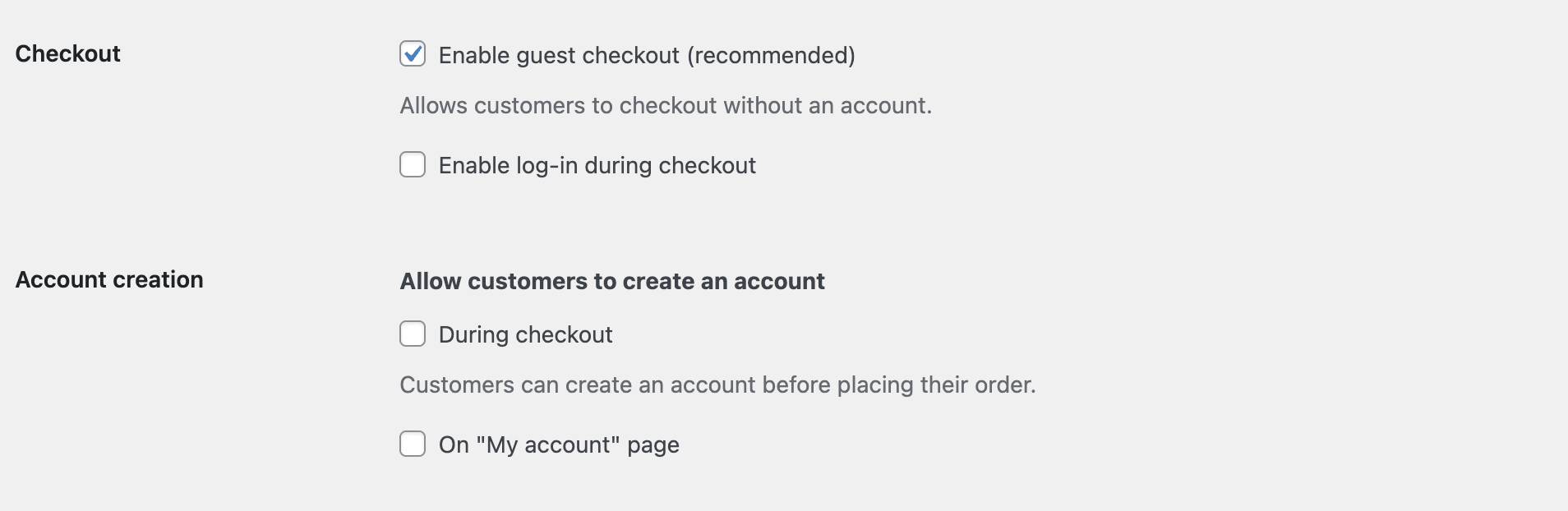
Incorrect Settings
These settings will not work with paid courses. With guest checkout enabled and account creation disabled, customers can purchase courses without an account and won't get access:
Correct Settings
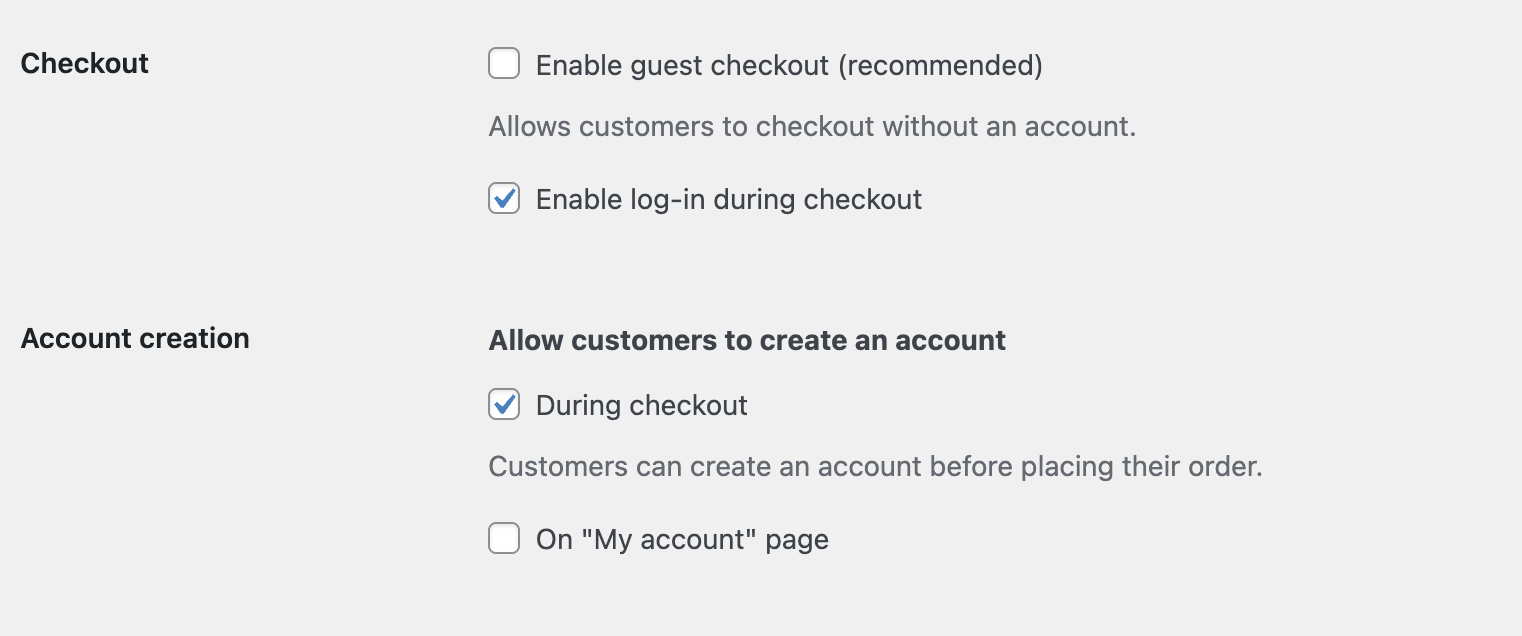
Configure your settings as shown:
Required:
- Enable guest checkout — Unchecked (disabled)
- Allow customers to create an account during checkout — Checked (enabled)
Recommended:
- Enable log-in during checkout — Checked. Returning customers can log in instead of creating a duplicate account.
Scroll to the bottom and click Save Changes.
What's Next
- Paid Courses — Configure pricing for individual courses
- Paid Groups — Sell access to groups