To deactivate a course
-
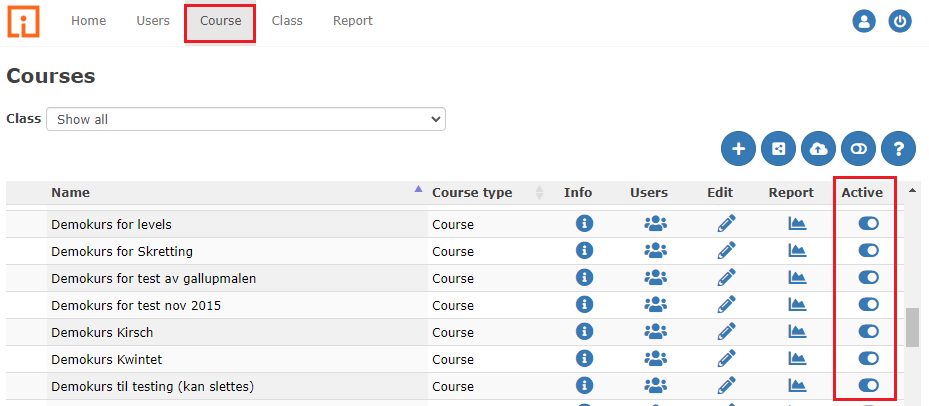
In the main menu, click Course. You will get an overview of all courses at the school.
-
Click the symbol in the "Active" column on the right.
-
Select Disable. The course is now inactive, and it will be added to the list of Inactive courses at the bottom of the course list.
You can also click the “deactivated courses” symbol to show inactive courses.
- The course is now listed as active course.
⚠️ Important
It is only at the "production school" that this procedure works. This means that courses shared from another school cannot be disabled in this way. When a course is inactivated, neither participant data nor history is deleted from the course.