Group Settings
Configure your group's access type, seat limits, and availability dates.
Accessing Group Settings
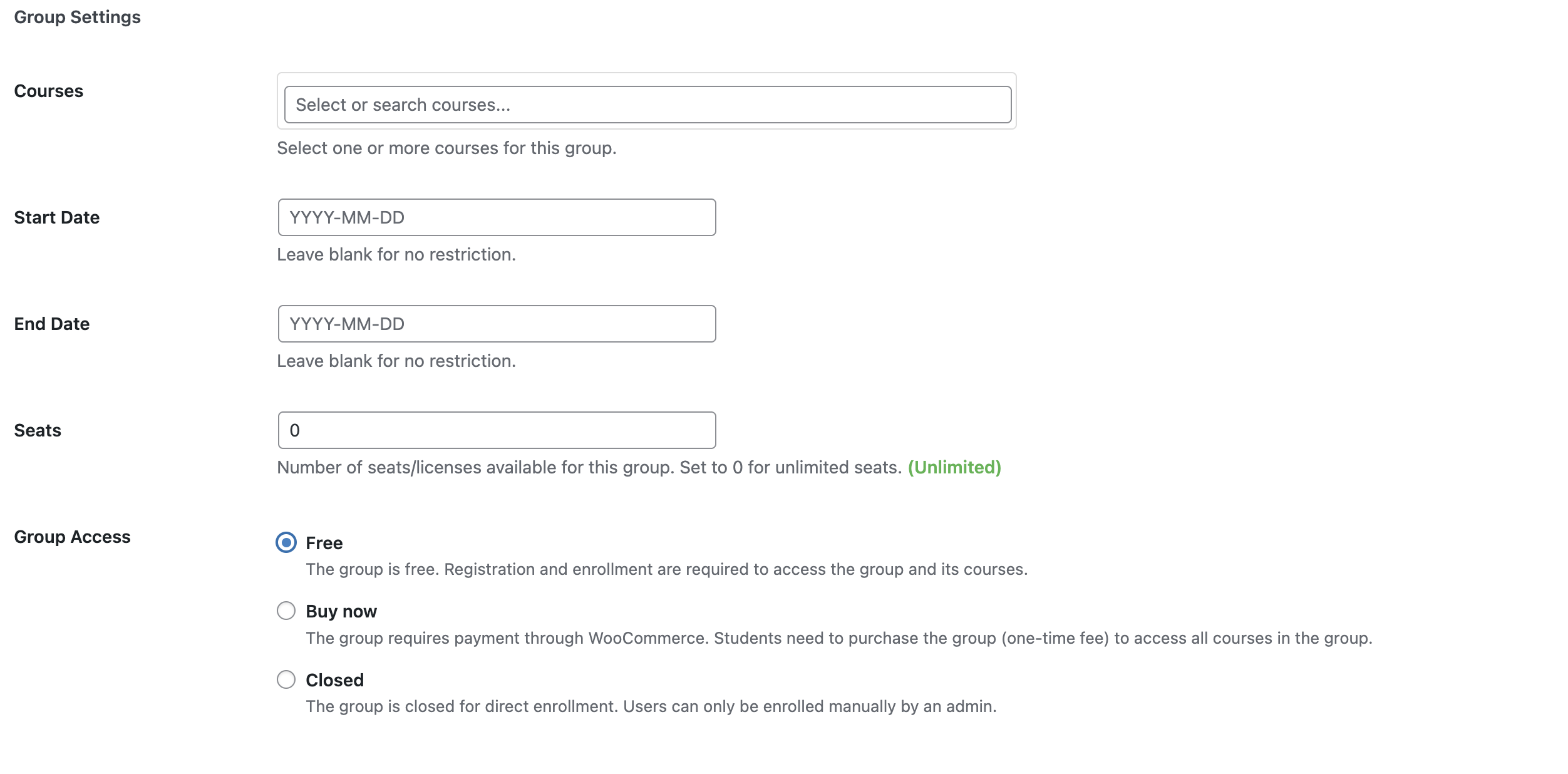
When editing a group, find the Group Settings meta box below the main editor. This contains all configuration options for the group.
Access Type
The Access field controls how users can enroll in the group.
| Access Type | Description |
|---|---|
| Free | Any logged-in user can enroll directly |
| Paid | Users must purchase access through WooCommerce |
| Closed | Only admins can enroll users manually |
Select the appropriate access type from the dropdown.

For Paid groups, you'll also need to link a WooCommerce product. See Paid Groups for details.
Seat Limits
The Seats field limits how many users can enroll in the group.
- Enter a number to set a maximum (e.g.,
50for a 50-person cohort) - Enter
0or leave empty for unlimited seats
When a group reaches its seat limit, the enrollment button is disabled and users see a message that the group is full.

Date Windows
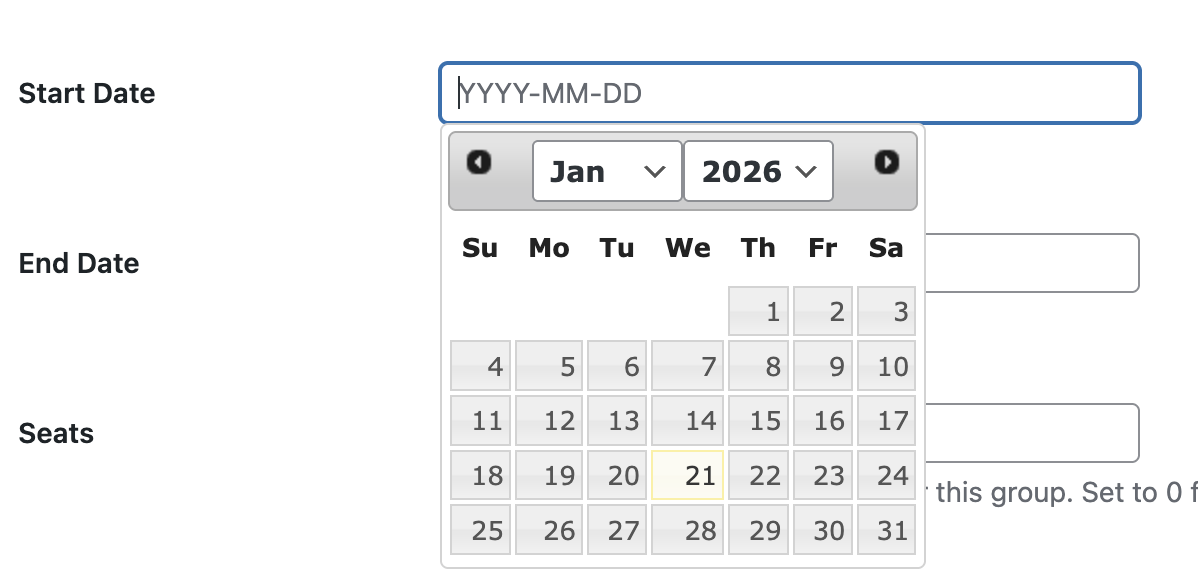
Control when the group is available for enrollment using the date fields.
Start Date
The Start Date field sets when enrollment opens. Users cannot enroll before this date.
- Leave empty to allow enrollment immediately
- Set a future date to schedule when enrollment opens
End Date
The End Date field sets when enrollment closes. Users cannot enroll after this date.
- Leave empty for no end date
- Set a date to automatically close enrollment
Date Window Behavior
| Scenario | Enrollment Button | Message Shown |
|---|---|---|
| Before start date | Disabled | "Enrollment opens on [date]" |
| Within date window | Enabled | Normal enrollment |
| After end date | Disabled | "Enrollment is closed" |
Users who are already enrolled can still access their courses even after the end date passes.
Group Leaders
The Group Leaders section lets you assign users as leaders of this group. Group leaders can manage enrollments, view analytics, and invite new users from their frontend dashboard — without needing WordPress admin access.
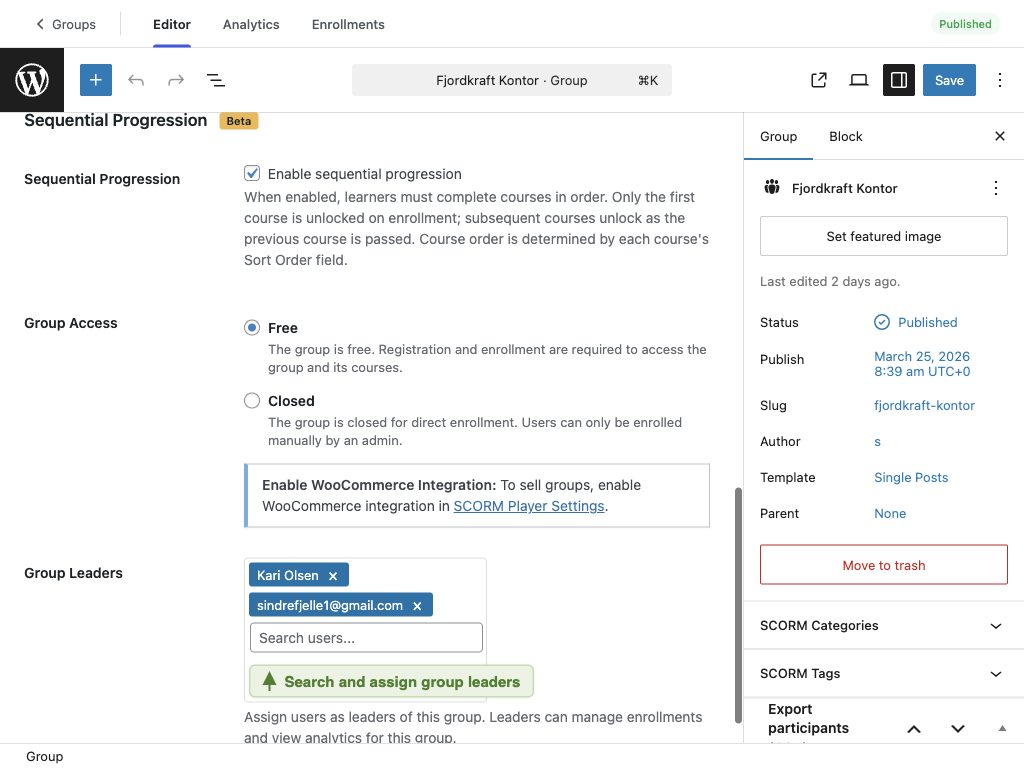
- In the Group Leaders section, type a name in the search field
- Select a user from the dropdown — only users with the Group Leader role appear
- Selected leaders show as tags with a × to remove them
Users must have the Group Leader role before they can be assigned. Create the user with this role first via Invite User or change their role in Users → Edit User.
Group leaders access their dashboard at the My Groups page on the frontend, where they can:
- View enrolled learners and their progress
- Invite new users to the group
- Promote subscribers to group leader
Saving Settings
Click Save (or Publish for new groups) to save your settings. Changes take effect immediately.

What's Next
- Creating Groups — basic group creation
- Paid Groups — setting up paid access with WooCommerce
- Managing Enrollments — manually managing user access
- Inviting Users — invite new users from admin or group leader dashboard
- Sequential Progression — require courses to be completed in order